Shrink Pic

Shrink Pic
License:
Free
Language:
English
Developer:
Developer's website
OS:
Win2000/XP/Vista
Updated:
See detailed info

Softonic review

“Automatically reduce size of photos for email, IM, blogging etc.”

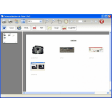
Today's high resolution digital cameras produce multi Megabyte photos. These are great for printing but cause a heavy burden when sending over the Internet. Shrink Pic allows you to send dozens of photos as email attachments - quickly and with no effort at all!


All you need to do is install Shrink Pic. It automatically detects when you're sending large photo files and compresses them in the background. There's no setup, no operating instructions, nothing, nada. Just send your photos normally and Shrink Pic takes care of shrinking them. Shrink Pic runs in the background. It has a taskbar icon which tells you it's waiting for photos to be sent.


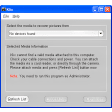
Then, when it detects that you're sending a large photo, it automatically creates a temporary copy, resizes it and sends it instead. It gives you a notice message, so you'll know the photo you sent was resized. Of course, the original photo doesn't change, only the temporary copy.


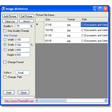
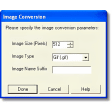
You can control how Shrink Pic resizes your photos. Select between three automatic resize levels or enter your own custom sizes. Shrink Pic also recognizes rotated photos (portrait layout) and resizes them intelligently, so you don't need to worry about that too.

Free Download Shrink Pic 1.8.0

Shrink Pic is virus free

We have analyzed the latest version of Shrink Pic with 30 antivirus engines and it is virus free. See analysis results.

TESTED VIRUS FREE - Softonic GUARANTEED

Shrink Pic (1) User reviews

  • Not bad
  • 7/10
  • User reviews
    0

    Doesn't work...whether it be IE 7 or Windows Live Mail. Never registers any phot compression statistics... More

    • Review of Shrink Pic - 29 Jun 2011
      This review is liked by 7 of 7
Your avatar
Review
  1. Maximum: 75 characters

  2. See example

Pros and Cons
Rate
  1. What rating would you give Shrink Pic?

    You need to fill in all fields

    • Usability:

      Not rated
    • Stability:

      Not rated
    • Installation:

      Not rated
    • Functionality:

      Not rated
    • Appearance:

      Not rated
    • Overall rating:

      Not rated
  2. Don't worry, we won't make your email address public.

You're not allowed to share serial numbers, cracks, etc. or link to pages that contain them. If you do, your user account will be deleted, your IP address logged and legal action will be taken.

Get started - just ask a question!

Write a title for your question.

Alternativesto Shrink Pic

Compare with Shrink Pic

Screenshots from Shrink Pic

Download rank: Crop & Resize

38 of 91

Softonic rating:
  • Very good
  • 8/10
User rating: (6 ratings)
  • Not bad
  • 7/10
Your rating:
Your rating
  • 0

Review and rate this program

Top Downloads: Crop & Resize

  • United States
  • Global

  1. Open PowerPoint PPT files without Powerpoint

Reviews of Shrink Pic in other languages